Track Your Blood Pressure by Photo or Voice
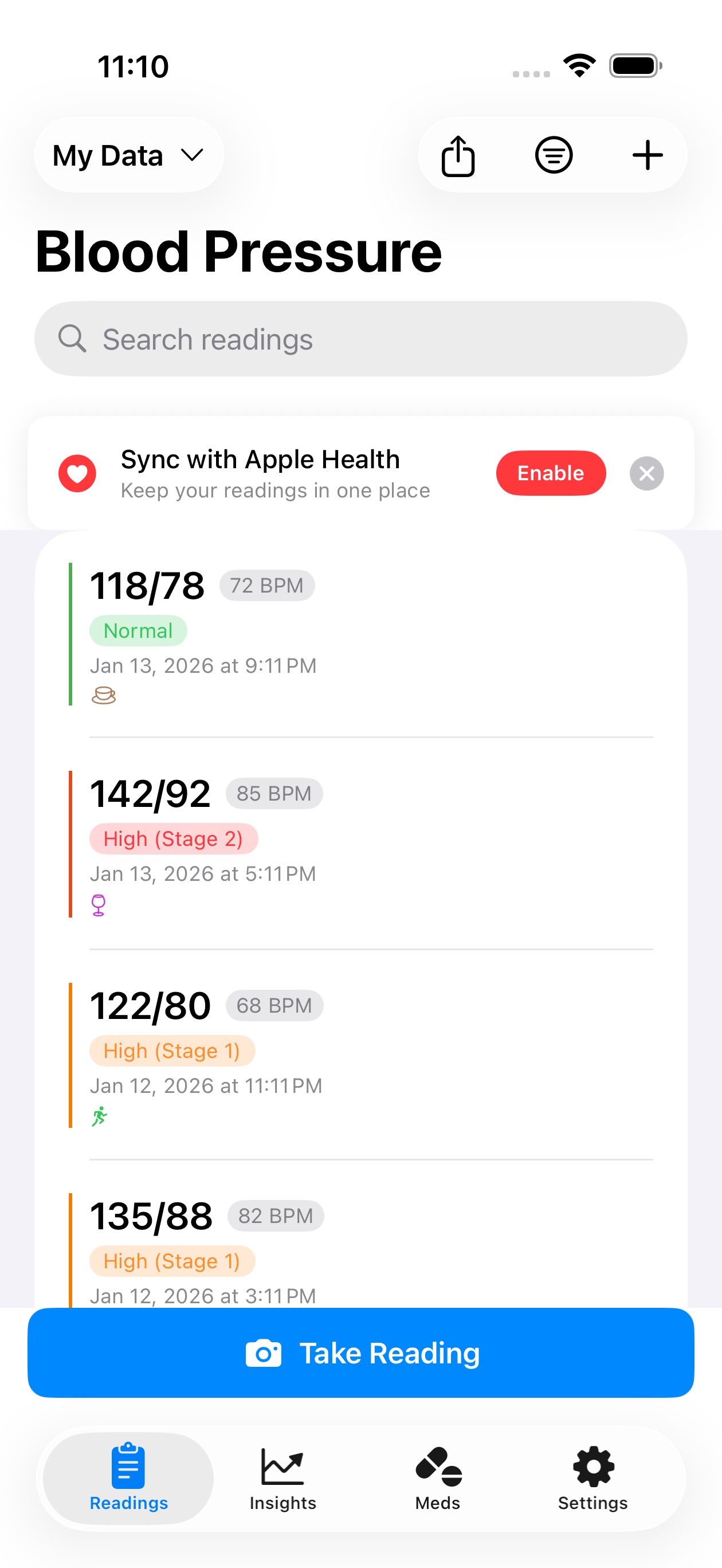
Snap a photo of your monitor or just say “118 over 78”. BloodCuff logs blood pressure, glucose, weight, blood oxygen, temperature, meals, and drinks, then shows trends, milestones, and reports you can share with your doctor.


Say it, save it
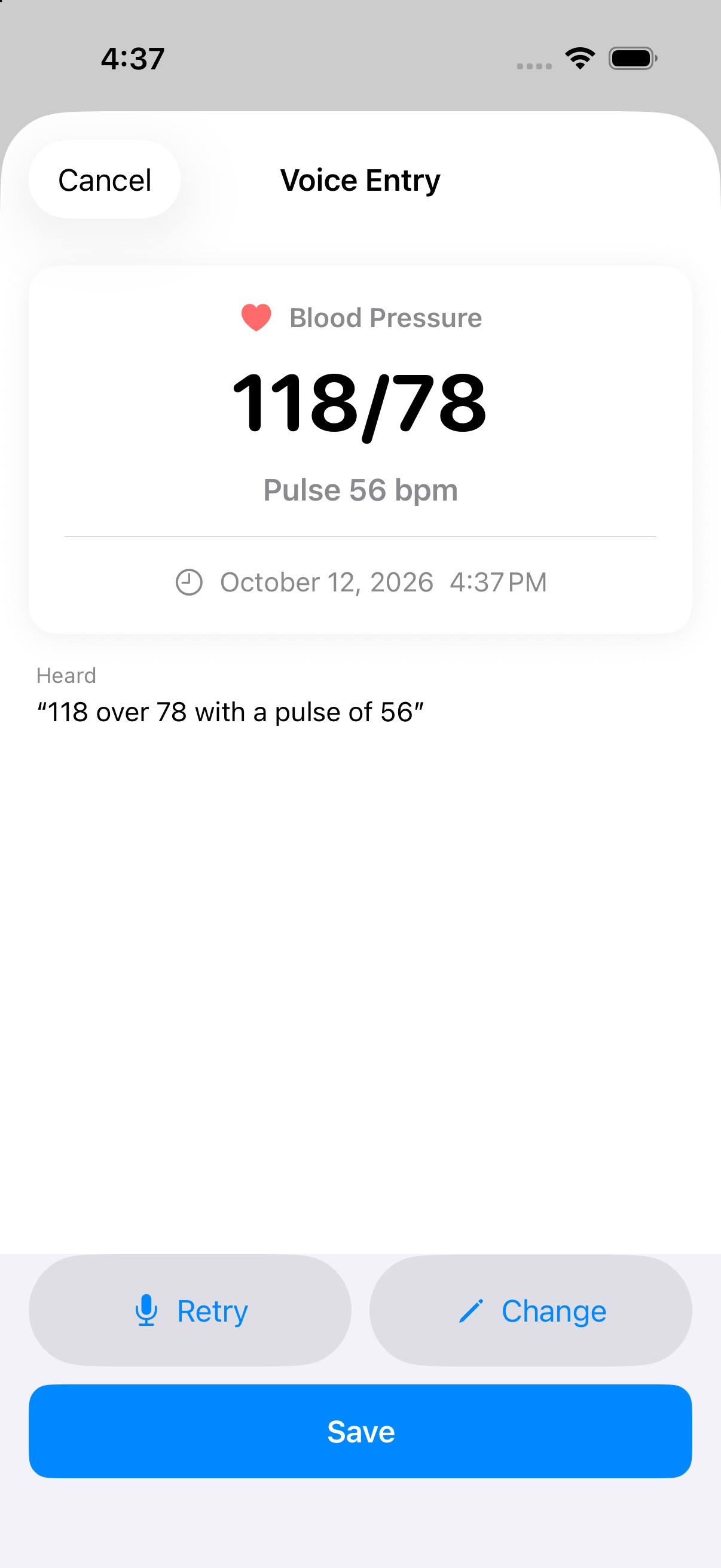
Tap the mic from anywhere in the app and say a reading, a meal, or a drink the way you'd say it to a person. BloodCuff shows what it heard, you confirm, and it's saved and synced like any other entry.
Speech is transcribed on your phone. Only the text goes to our servers to work out the numbers and units, so audio never leaves your device.
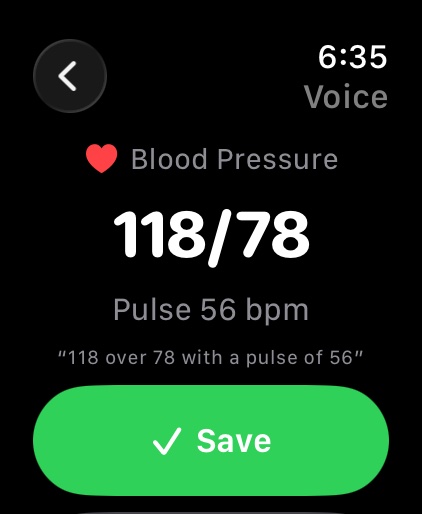
“118 over 78 with a pulse of 56”
Blood pressure 118/78, pulse 56
“weight 80 kilos”
Weight 176.4 lbs (converted from kg)
“blood sugar 104 fasting”
Glucose 104 mg/dL, fasting
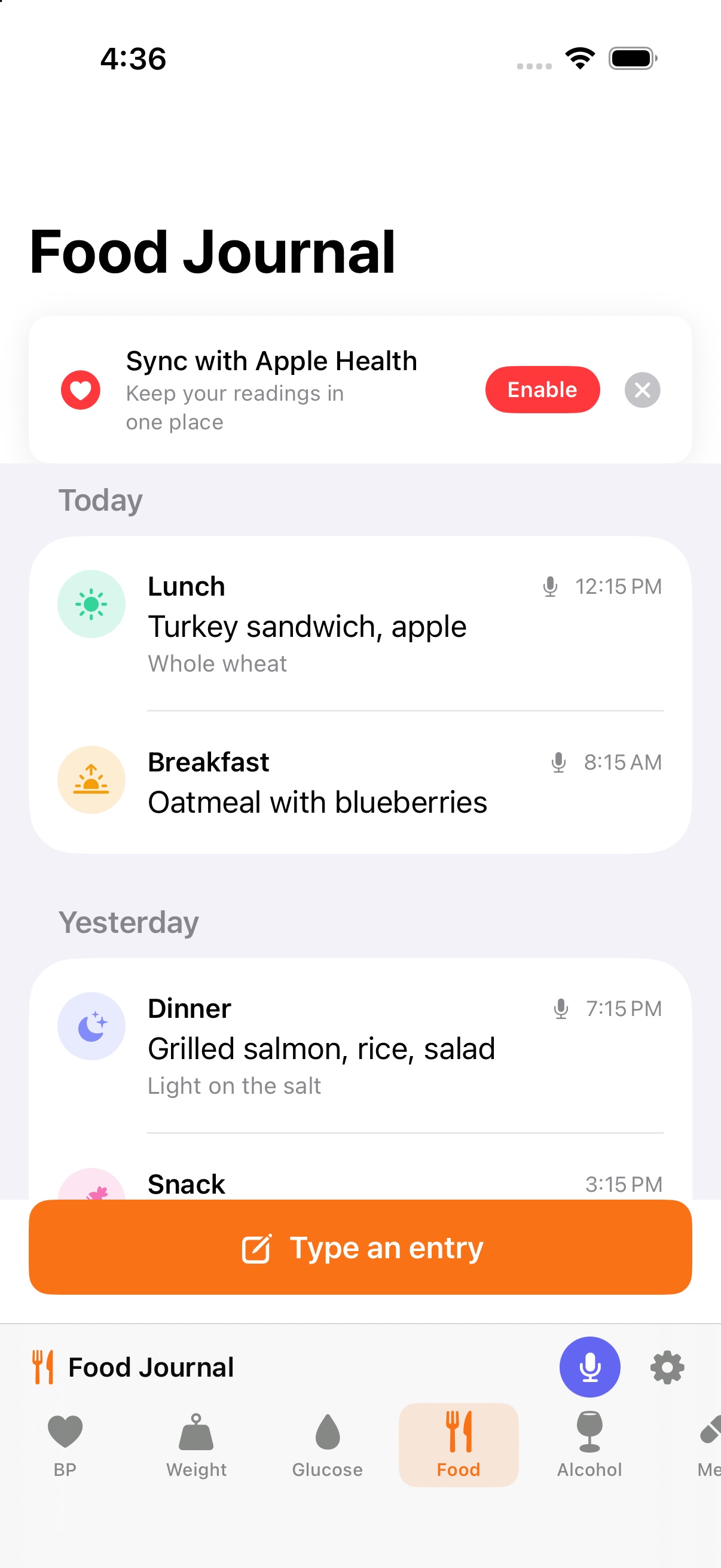
“oatmeal with blueberries this morning”
Breakfast: Oatmeal with blueberries
“a glass of wine and a margarita”
2 drinks on today's calendar
Everything you track, one tap away
Seven trackers in one app, each with its own readings and insights, all in the bottom bar.
Blood pressure
Systolic, diastolic, and pulse, with arm selection
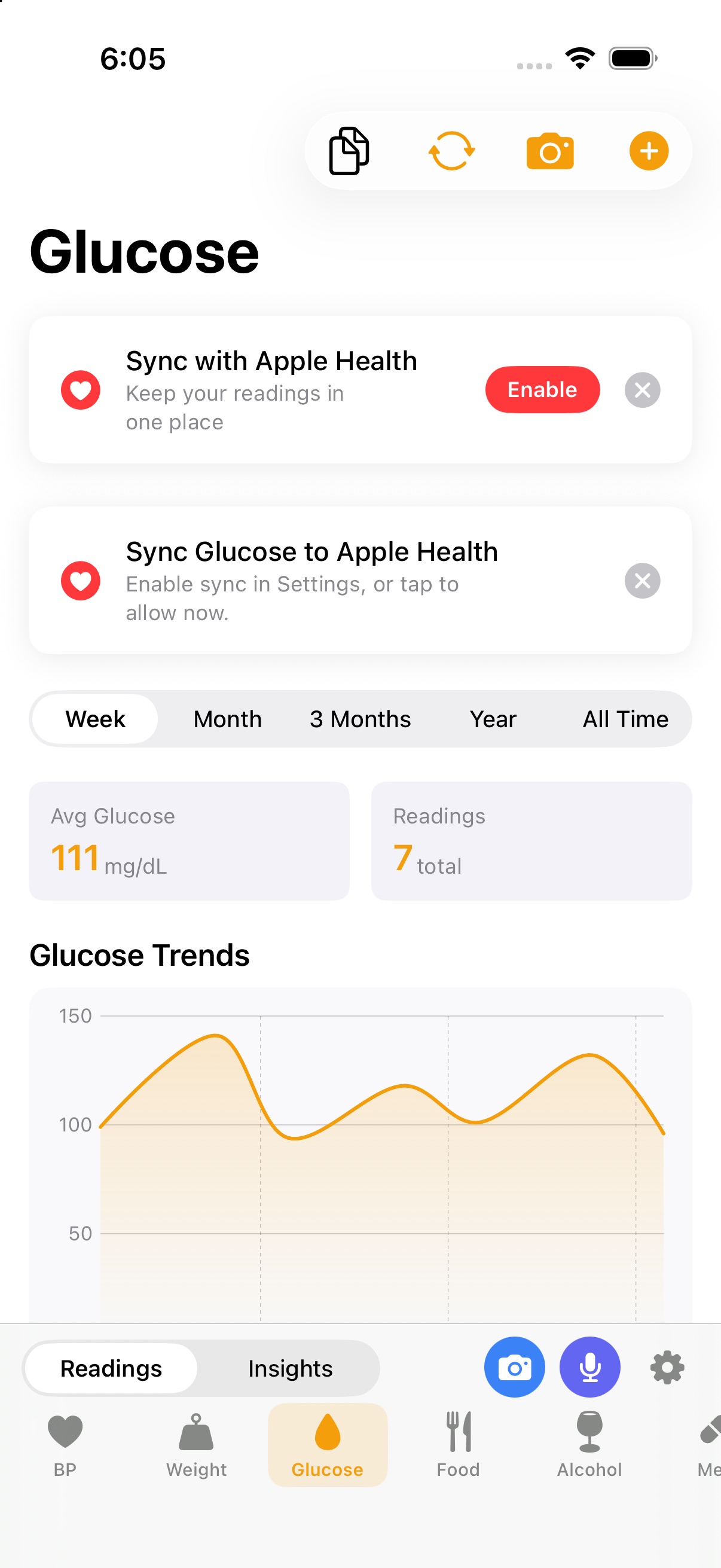
Blood glucose
mg/dL or mmol/L, with fasting and meal context
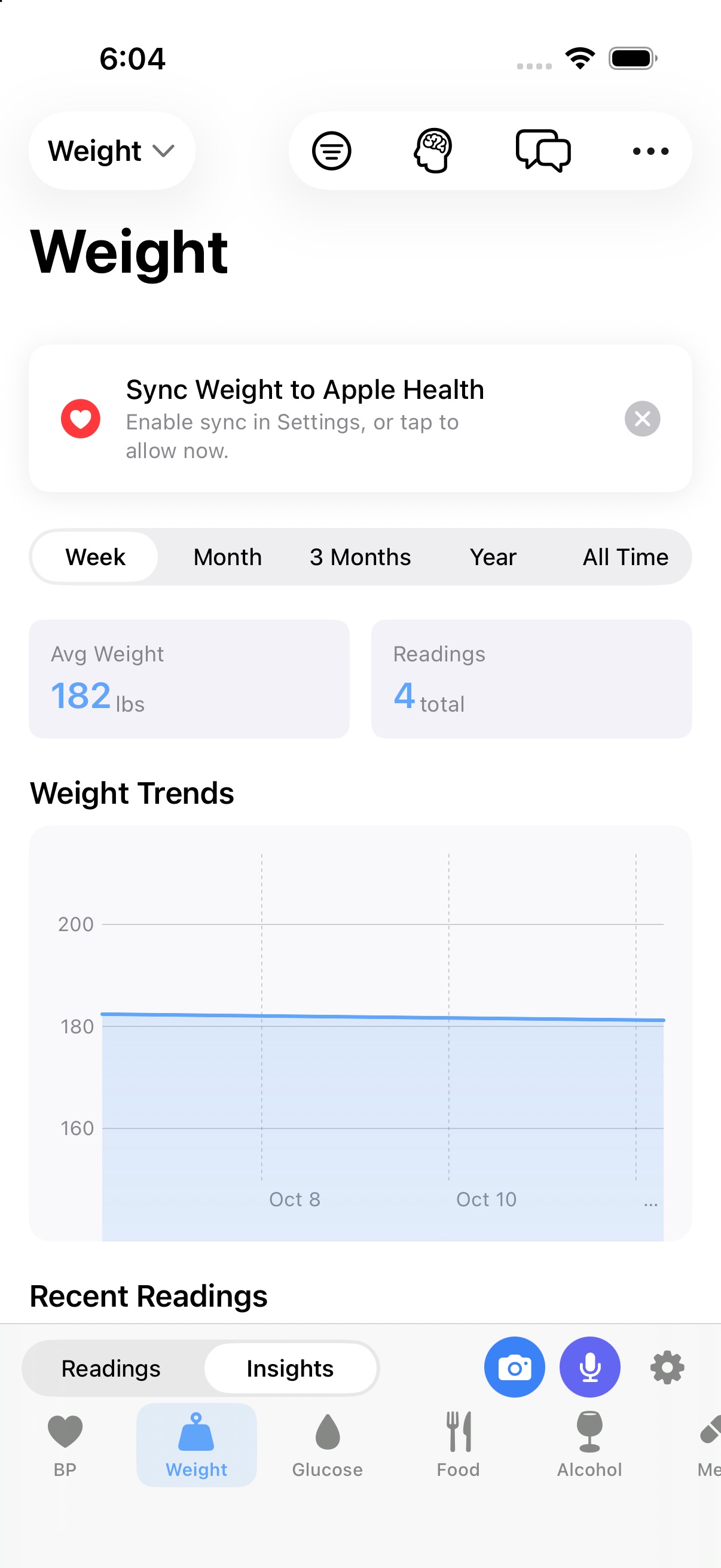
Weight
lbs or kg, with trends over time
Blood oxygen (SpO2)
Pulse oximeter readings
Body temperature
°F or °C
Food journal
What you ate, which meal, any details
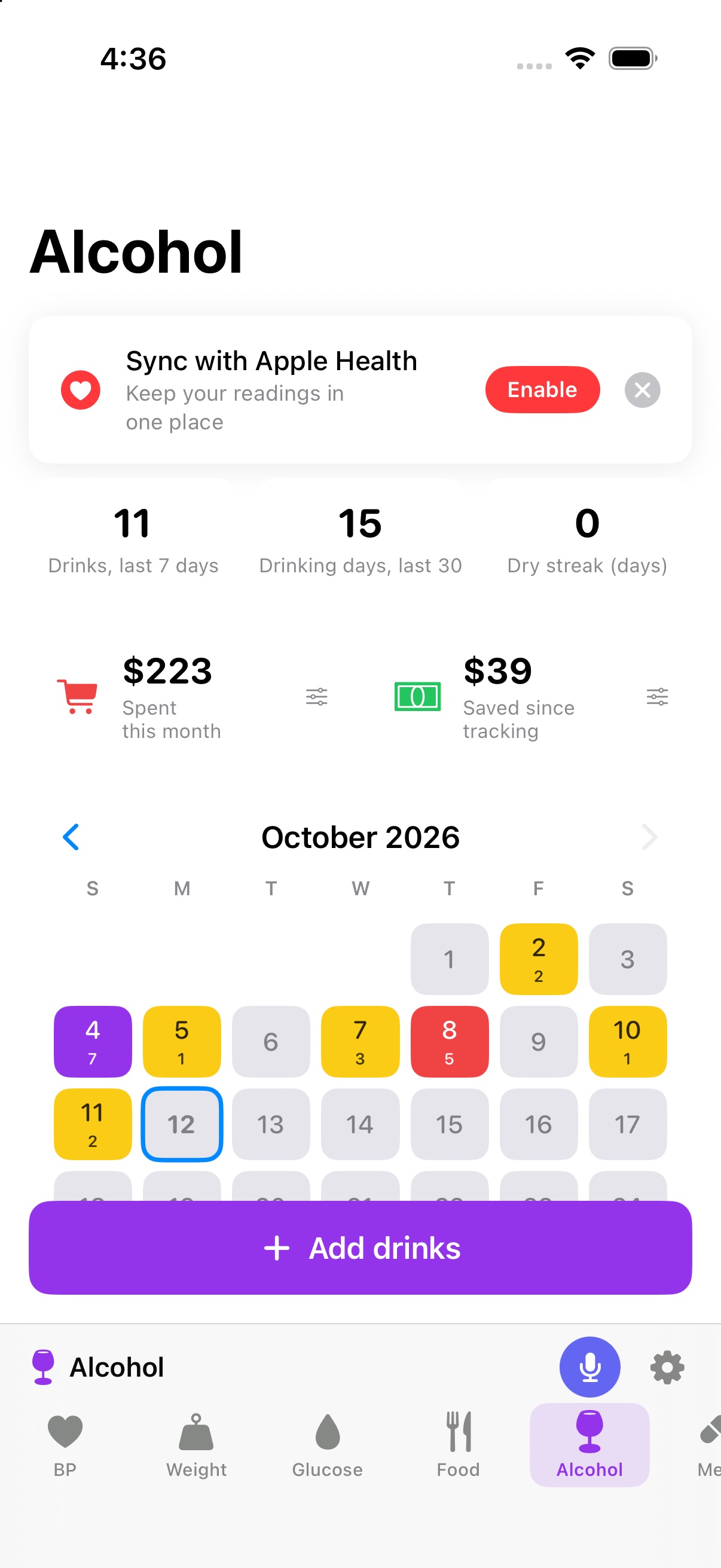
Alcohol
Drinks per day on a color-coded calendar, with money saved
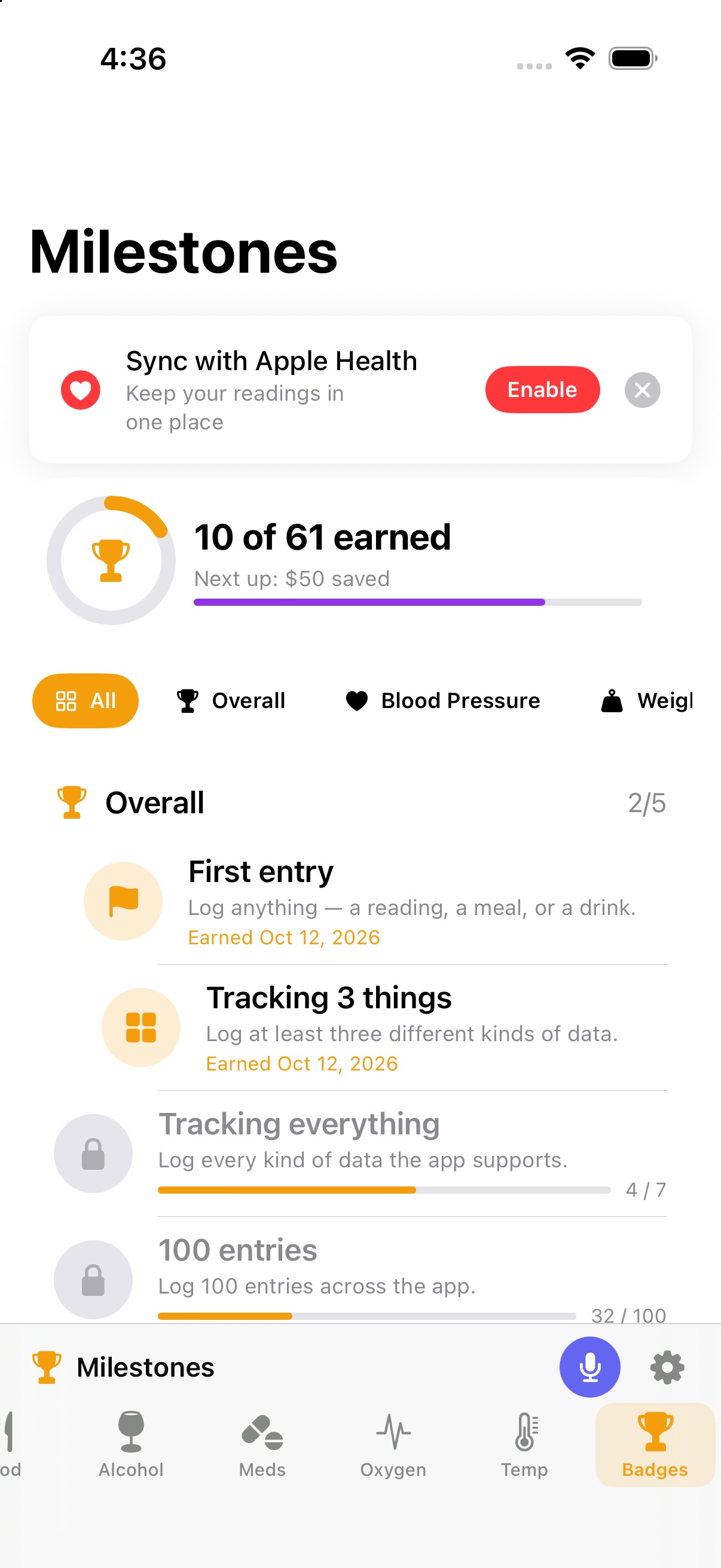
Milestones
More than 60 badges across all of the above, with confetti when you earn one
See it in action
Real screenshots from version 1.47. What you see is what you get.
An alcohol tracker that shows the whole month
Every day gets a color. Press and hold a day, then slide, to set how many drinks. Set your average cost per drink and see what you spent this month and what you've saved since you started cutting back.
- Log by voice: “two beers” or “a glass of wine”
- Dry streaks, drinking days, and money saved
- Badges for dry weeks, dry months, and every $50 saved
Calendar colors
- No log
- 0Dry day
- 1–4Light
- 5Heavy
- 6–9Very heavy
- 10+Extreme
On your wrist, too
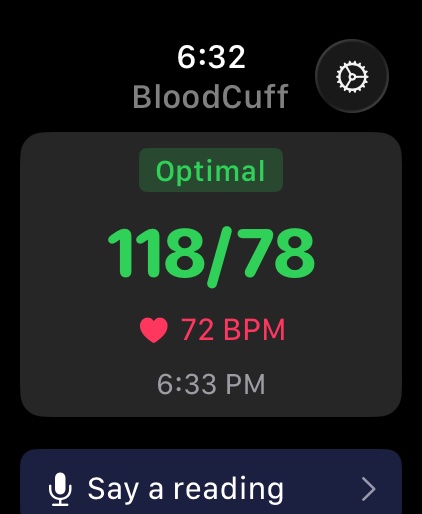
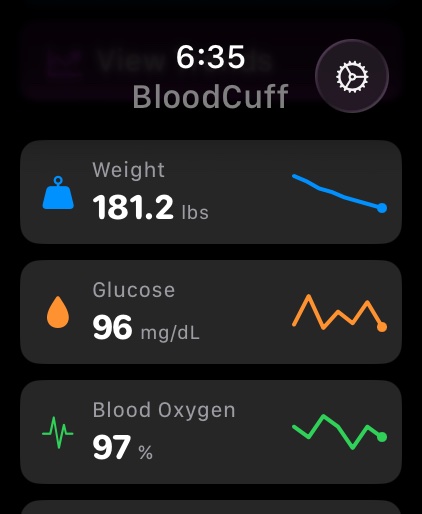
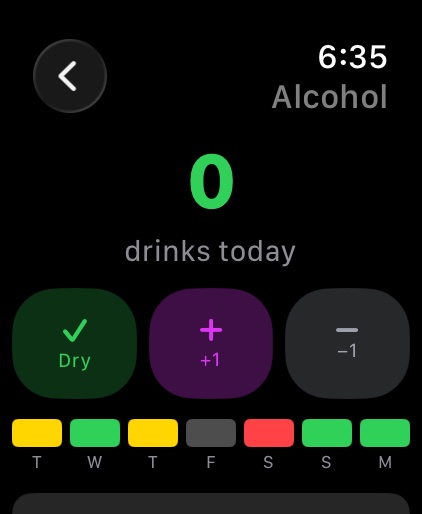
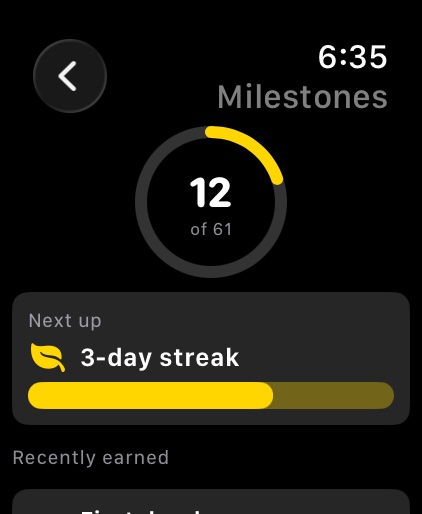
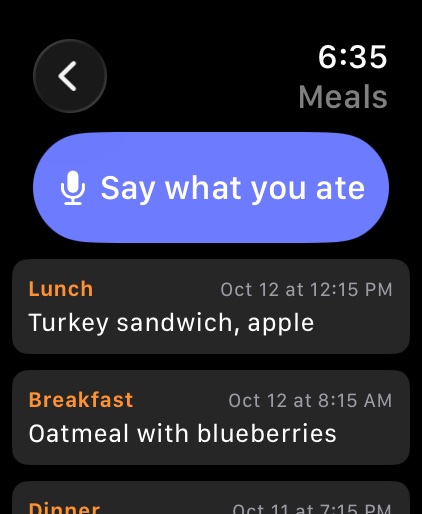
See every tracker, say a reading or a meal, mark a dry day, and get share alerts, all from your Apple Watch.
How it works
Three steps. Under a minute. No typing.
- 1
Photograph it, or say it
Point your camera at the monitor, or tap the mic and say the numbers.
- 2
Confirm
BloodCuff shows the systolic, diastolic, and pulse it read or heard. Fix anything that's off, then save.
- 3
Track & share
See trends and milestones, and share reports with your doctor or live access with family.
Everything you need
From photo and voice capture to PDF reports, BloodCuff handles your health tracking from start to finish.
Photo capture
Point your camera at any monitor, meter, scale, oximeter, or thermometer. AI reads the display in about a second and you confirm before it saves.
Voice entry
Tap the mic and say a reading, a meal, or a drink in plain language. Understands number words, kilos, Celsius, and mmol/L. Audio never leaves your phone.
Seven trackers, one app
Blood pressure, glucose, weight, blood oxygen, temperature, meals, and alcohol. Every tracker is one tap away in the bottom bar.
Alcohol tracker
A color-coded calendar of drinks per day. Press and slide a day to set the count. See what you spent this month and what you've saved versus your usual.
Milestones
More than 60 badges for logging streaks, normal readings, weight lost, dry weeks, money saved, and more. Confetti when you earn one.
Charts & trends
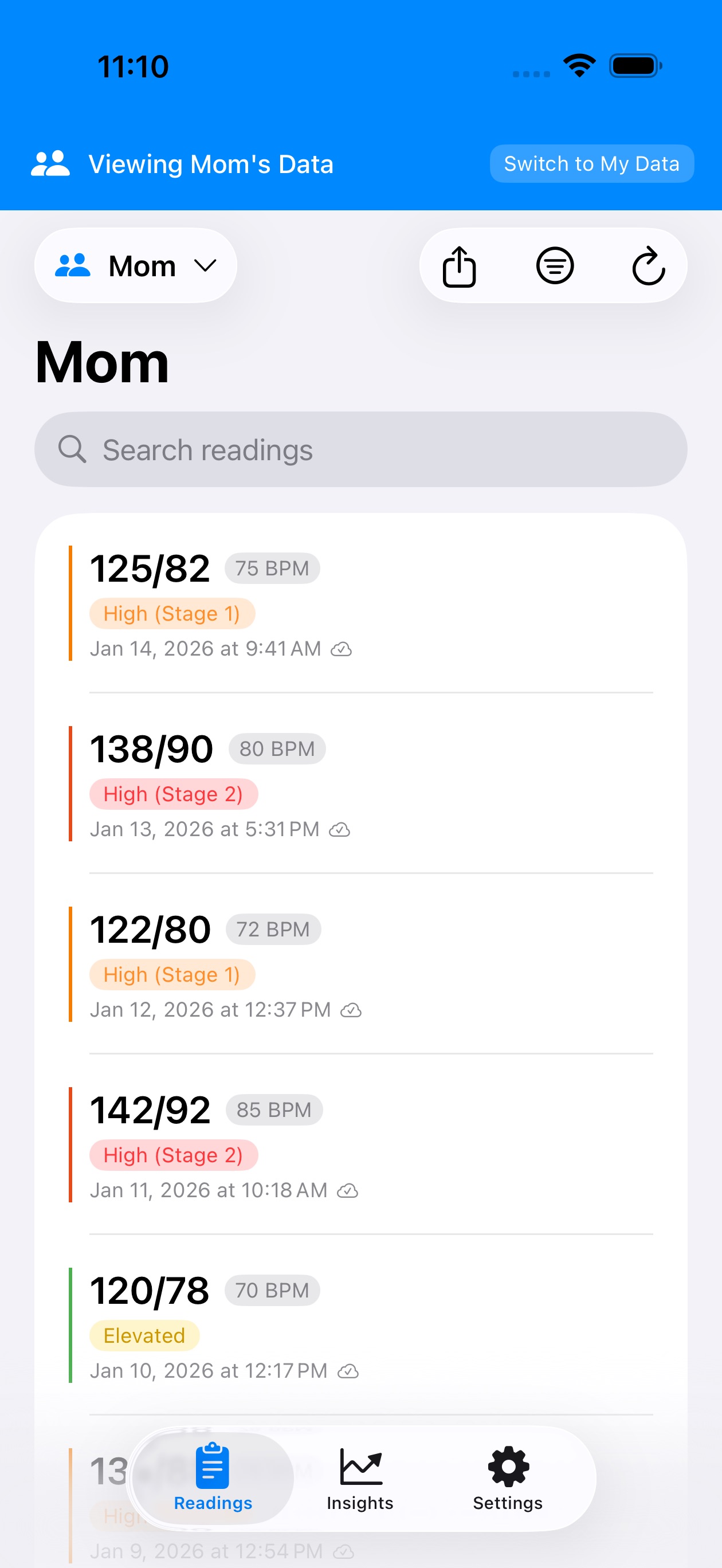
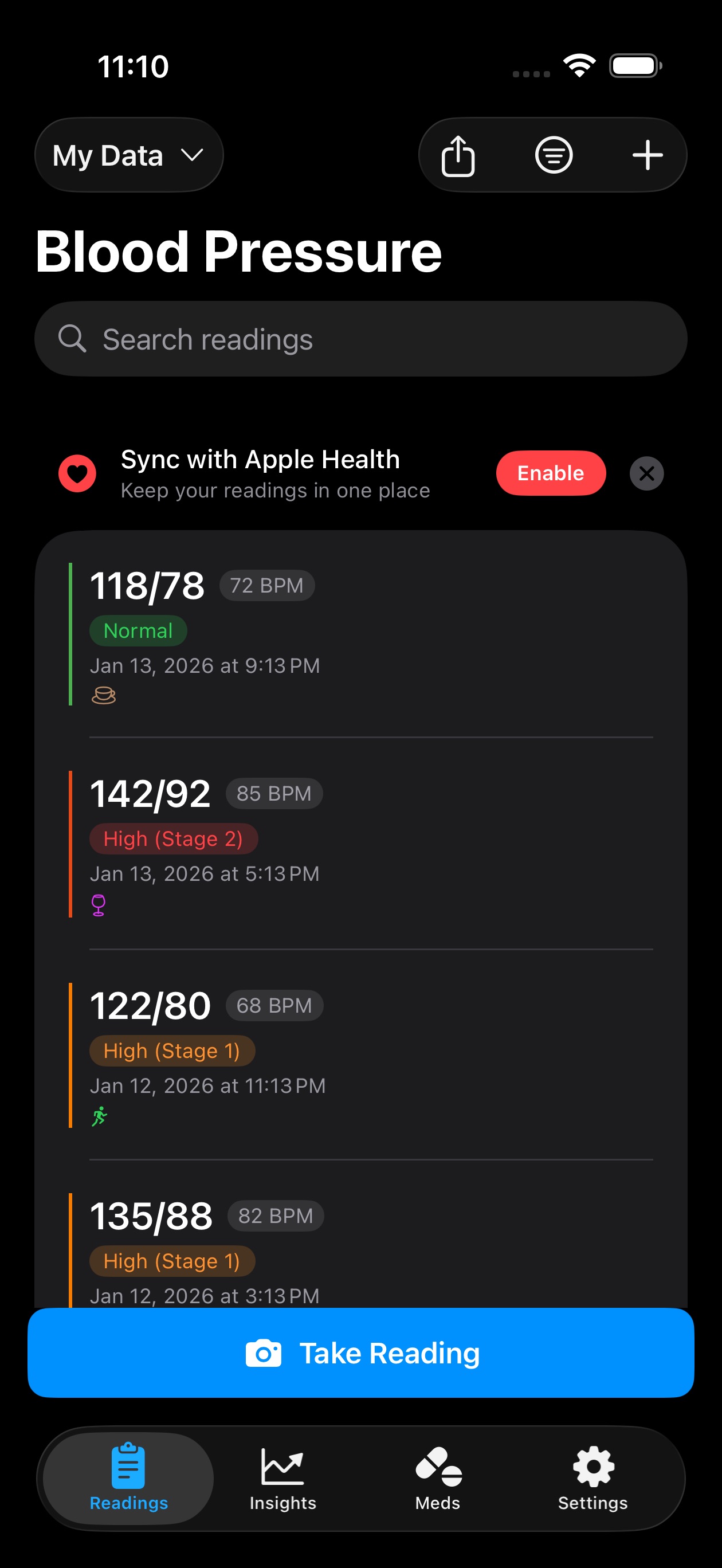
Readings and Insights for every metric. Spot patterns over weeks and months with color-coded ranges.
Share with family
Let loved ones see your latest readings in their own app with a share code. No screenshots needed.
PDF reports
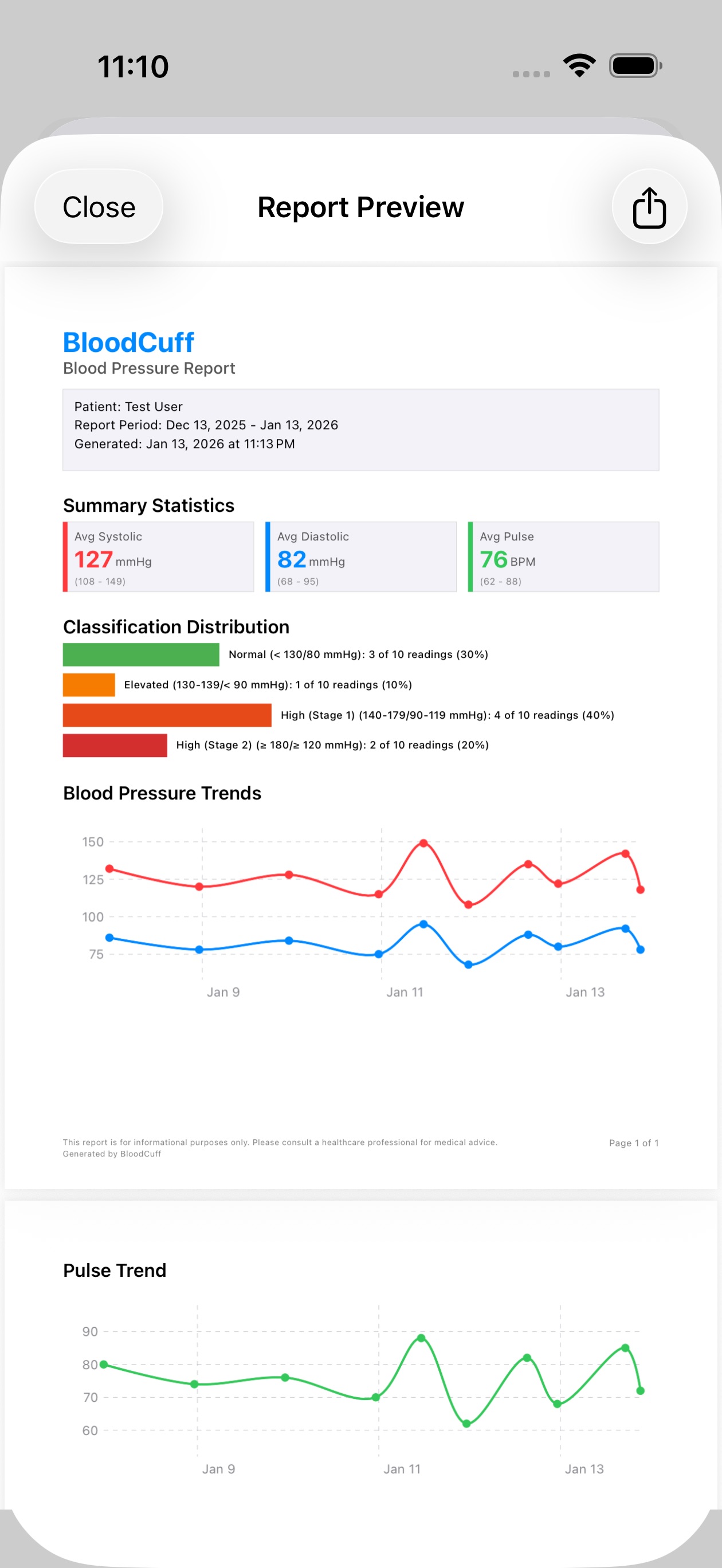
One tap generates a clean summary for your doctor, ready for your next appointment.
Apple Watch
Every tracker on your wrist, with voice logging, one-tap alcohol updates, and milestones. Syncs with your iPhone automatically.
Works with Bluetooth monitors
Pair your BLE blood pressure monitor once, and readings sync automatically every time you take a measurement. No photo needed, just press start on your cuff.
- Standard BLE Blood Pressure Service (0x1810)
- Auto-pairs and remembers your device
- Readings sync to cloud and Apple Health
Frequently asked questions
Everything you need to know about BloodCuff.
BloodCuff is intended for general wellness and informational purposes only. It is not a medical device and should not be used as a substitute for professional medical advice, diagnosis, or treatment. Always consult your healthcare provider about your readings.
Start tracking today
Download BloodCuff and log your first reading in under a minute.